
Is WhatsApp Plus Safe to Use? Everything You Need to Know
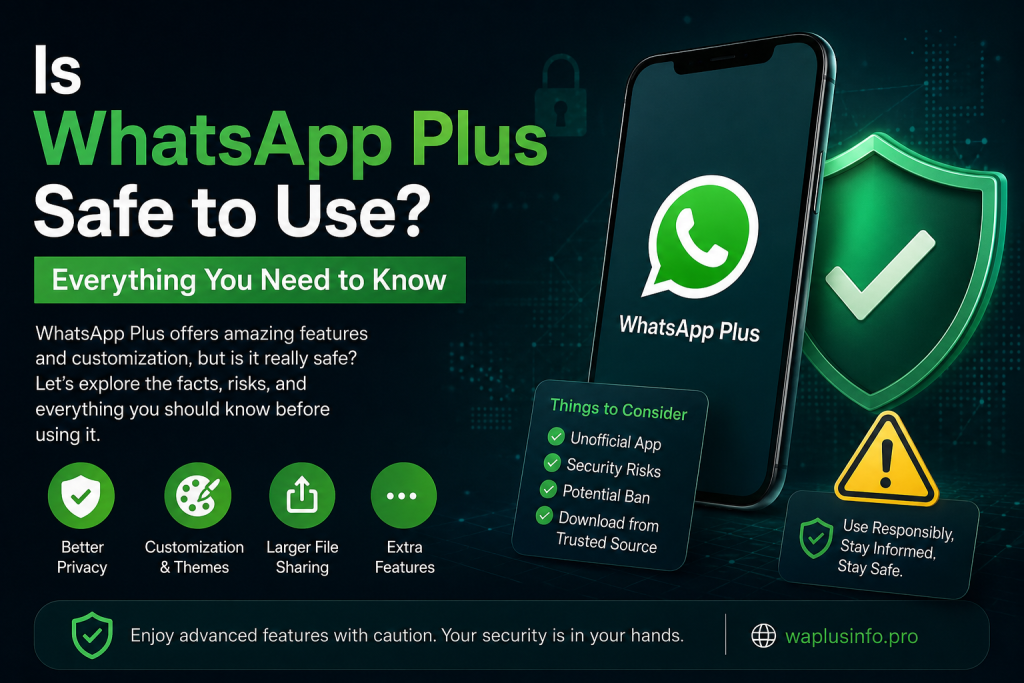
WhatsApp Plus has become one of the most popular modified versions of the official WhatsApp application. It offers advanced customization, enhanced privacy settings, and additional messaging features that are not available in the standard app. Because of these extra features, millions of Android users search for WhatsApp Plus every month.However, one important question continues to appear among users.The answer is not as simple as “yes” or “no.” Your safety depends on several factors, including where you download the app, how you use it, and whether you understand the potential risks involved.In this comprehensive guide, you will learn everything about WhatsApp Plus, including its security, privacy, advantages, disadvantages, and the precautions you should take before installing it.
What Is WhatsApp Plus?
WhatsApp Plus is a modified version (MOD) of the original WhatsApp Messenger. Independent developers created it to provide users with additional features that are not available in the official application.Some of the most popular features include:
- Advanced privacy controls
- Hundreds of themes
- Custom fonts and icons
- Anti-delete messages
- Anti-delete status
- Hide online status
- Freeze last seen
- Auto reply
- DND mode
- Larger media sharing limits
- Better file-sharing capabilities
These features make WhatsApp Plus attractive to users who want more control over their messaging experience.
Is WhatsApp Plus Safe?
The answer depends on several important factors.From a technical perspective, WhatsApp Plus is not officially verified or supported by WhatsApp. Since it is developed by third-party developers, it does not go through the same security reviews as the official application.However, many users use WhatsApp Plus daily without experiencing serious issues.The biggest safety concern is where you download the APK. Downloading modified apps from unknown or suspicious websites increases the risk of malware, spyware, or altered files.If you decide to use WhatsApp Plus, downloading it only from a trusted source significantly reduces these risks.
Security Risks You Should Know
Before installing WhatsApp Plus, you should understand the possible security concerns.
1. Third-Party Development
Unlike the official WhatsApp application, WhatsApp Plus is not developed by Meta.Since independent developers modify the original app, users cannot always verify every change made to the application.
2. No Official Support
If something goes wrong while using WhatsApp Plus, Meta’s customer support will not provide assistance because the application is unofficial.
3. Potential Malware Risks
The biggest danger comes from fake APK files.Some websites distribute modified APKs that contain:
- Malware
- Spyware
- Adware
- Hidden tracking software
This is why choosing a reliable download source is extremely important.
4. Temporary Account Restrictions
Meta has previously taken action against unofficial WhatsApp modifications.Although many recent WhatsApp Plus versions include anti-ban improvements, there is still no guarantee that an account will never face temporary restrictions.
Privacy Features of WhatsApp Plus
One reason users prefer WhatsApp Plus is its advanced privacy controls.Some useful privacy options include:
Hide Online Status
Users can appear offline while still using the application.
Freeze Last Seen
Your contacts will continue seeing your previous last-seen time.
Hide Blue Ticks
Read messages without sending read receipts.
Hide Second Tick
Read incoming messages before the sender knows they were delivered.
Hide Typing Status
Type messages without showing the “Typing…” indicator.
Hide Recording Status
Record voice messages privately.These features provide much greater privacy than the official application.
Advantages of Using WhatsApp Plus
Many users switch to WhatsApp Plus because of its additional functionality.Some major benefits include:
Better Customization
Users can completely personalize the application’s appearance.
They can change:
- Themes
- Colors
- Fonts
- Icons
- Chat backgrounds
- Navigation style
Larger File Sharing
WhatsApp Plus usually allows larger files than the official version.This makes sharing videos, documents, and high-quality photos easier.
Better Media Quality
Images and videos can often be shared with less compression, preserving more of their original quality.
Advanced Privacy Controls
Privacy settings are far more detailed than those available in the official app.
Additional Messaging Features
Users can access features like:
- Auto reply
- Scheduled messages (depending on version)
- Anti-delete messages
- Anti-delete status
- Message forwarding improvements
Disadvantages of WhatsApp Plus
Despite its impressive features, there are several disadvantages.
No Official Verification
Because WhatsApp Plus is unofficial, users must trust the developer providing the APK.
Manual Updates
Unlike the Play Store version, updates usually need to be downloaded and installed manually.
Compatibility Issues
Occasionally, new Android versions may cause temporary bugs until developers release an updated APK.
Possible Security Risks
Installing APKs from unknown websites always increases security risks.
How to Use WhatsApp Plus More Safely
If you choose to install WhatsApp Plus, following these best practices can reduce potential risks.
Download Only From Trusted Sources
Never install APK files from unknown websites.Always verify that the download source has a good reputation.
Keep the App Updated
Developers regularly release updates that improve stability and security.Installing the latest version helps reduce known issues.
Backup Your Chats
Before installing or updating WhatsApp Plus, create a complete backup of your conversations and media files.This prevents accidental data loss.
Avoid Modified APK Variants
Some unofficial websites modify WhatsApp Plus even further.These versions may include unwanted advertisements or malicious code.
Scan APK Files
Before installing any APK, scan it using reputable antivirus software to detect potential threats.
Is WhatsApp Plus Better Than Official WhatsApp?
The answer depends on your priorities.If you want:
- Maximum security
- Official support
- Automatic updates
- Verified software
the official WhatsApp remains the safest option.If you prefer:
- More customization
- Extra privacy features
- Better media sharing
- Advanced messaging options
WhatsApp Plus offers many additional capabilities.Ultimately, users should balance convenience with security.
Who Should Consider Using WhatsApp Plus?
WhatsApp Plus may be suitable for users who:
- Enjoy customizing their apps
- Want additional privacy controls
- Frequently share large media files
- Prefer advanced messaging features
- Understand the risks of using unofficial software
Users who prioritize maximum security and official support should continue using the official WhatsApp application.
Tips Before Installing WhatsApp Plus
Before installing WhatsApp Plus, keep these recommendations in mind:
- Back up all chats.
- Download the APK from a reliable source.
- Install the latest available version.
- Read the update notes before upgrading.
- Keep your Android device updated.
- Avoid suspicious modified APKs.
- Use a trusted antivirus application.
- Regularly back up your important conversations.
Following these precautions can significantly improve your overall experience.
FAQS
Is WhatsApp Plus completely safe?
WhatsApp Plus is generally considered safe when downloaded from a trusted source, but it is still an unofficial application and cannot provide the same level of assurance as the official WhatsApp.
Can WhatsApp Plus get my account banned?
There is a possibility of temporary restrictions because WhatsApp Plus is not officially supported. While some versions include anti-ban improvements, no unofficial app can guarantee complete protection.
Does WhatsApp Plus have more privacy features?
Yes. WhatsApp Plus offers advanced privacy controls such as hiding online status, freezing last seen, hiding blue ticks, and preventing others from seeing typing or recording indicators.
Can I transfer my chats to WhatsApp Plus?
Yes. Most users can transfer their existing chats by creating a backup before installing WhatsApp Plus and following the appropriate restoration process.
Should I choose WhatsApp Plus or Official WhatsApp?
If your priority is security, official updates, and long-term reliability, the official WhatsApp is the better choice. If you value customization and advanced features, WhatsApp Plus provides additional functionality, provided you understand the associated risks.
Final Words
WhatsApp Plus offers an impressive collection of features that go far beyond what the official WhatsApp application currently provides. Its advanced customization options, enhanced privacy controls, improved media sharing, and flexible user experience make it an attractive choice for many Android users.At the same time, it is important to remember that WhatsApp Plus is an unofficial application. Because it is not developed or supported by Meta, users should carefully consider the potential security and privacy implications before installing it. Downloading the APK from a reliable source, keeping the app updated, and regularly backing up your chats are essential steps to minimize potential risks.Ultimately, whether WhatsApp Plus is the right choice depends on your personal preferences. If you prioritize advanced features and customization, it may be a suitable option. If your main concern is official support and maximum security, the original WhatsApp application remains the safest choice.